
Cursor
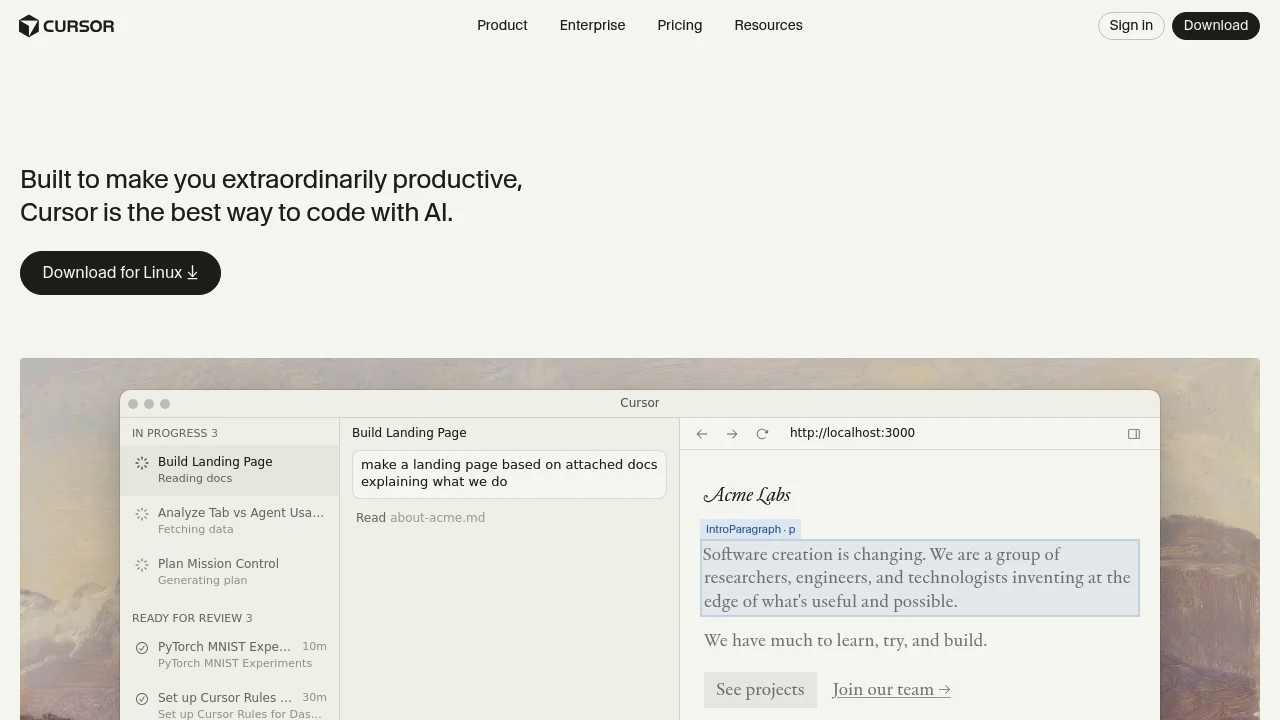
Cursor is an AI-powered code editor integrating GPT-5.2, Opus 4.6, and other advanced models. It offers intelligent completions, codebase understanding, and Agent automation to boost developer productivity.
Summary
Cursor is an AI-powered code editor designed to boost developer productivity. It integrates multiple advanced language models, offering intelligent code completion, codebase understanding, and automated programming.
What is Cursor?
Cursor is an AI programming environment developed by an applied research team, combining a traditional IDE with cutting-edge large language models. It supports models from OpenAI, Anthropic, Gemini, xAI, and more, letting developers plan, write, and review code using natural language. The system understands entire codebases regardless of scale or complexity, providing assistance from simple completions to fully autonomous Agent mode.
Core Capabilities
- Multi-model selection: Supports GPT-5.2, Opus 4.6, Gemini 3 Pro, Grok Code, and other latest models
- Composer 1.5 Agent: Automatically plans and generates code from requirement documents
- Complete codebase understanding: Semantic search and secure codebase indexing
- Intelligent completions: Context-aware code autocomplete
- Integrated workflows: AI assistant integrations for Slack, GitHub, and other platforms
- Multi-agent collaboration: Supports team-wide AI-assisted development
Pros
- Supports multiple frontier AI models; choose the best for each task
- Flexible autonomy control from simple completions to full Agent mode
- Trusted by over half of Fortune 500 companies for enterprise development
- Fast autocomplete with intelligent keyboard shortcuts
- Bring-your-own-model support
Cons
- Requires paid subscription for full access to advanced models
- Steeper learning curve, especially for Agent mode
- Depends on external AI services; requires internet connection
- Enterprise deployment may need additional security configuration
- May be overkill for small projects or simple scripts
Decision Guidance
Use Cursor when: You need to accelerate software development, especially for large codebases, require multi-model support, or want to integrate AI into existing workflows (Slack, GitHub) as an enterprise developer.
Consider alternatives if: You only need basic code completion, have budget constraints, or primarily work offline—traditional IDEs with simple AI plugins may be more suitable.
Frequently Asked Questions

Similar to Cursor


