Chili Piper Alternatives
Discover the best alternatives to Chili Piper. Compare features, pricing, and find the perfect replacement.
The best alternative to Chili Piper is ForceManager. If that doesn't suit you, we've compiled a ranked list of other Chili Piper alternatives to help you find a suitable replacement. Other interesting alternatives to Chili Piper are: Salesforce, Salesloft, Qualified and Outreach.
Chili Piper alternatives are mainly AI Email Outreach, but may also be AI Sales Workflow or AI Sales Chatbots. Browse these if you want a narrower list of alternatives.

Written by Eric Leung
Last updated: June 13, 2026 at 8:00 AM
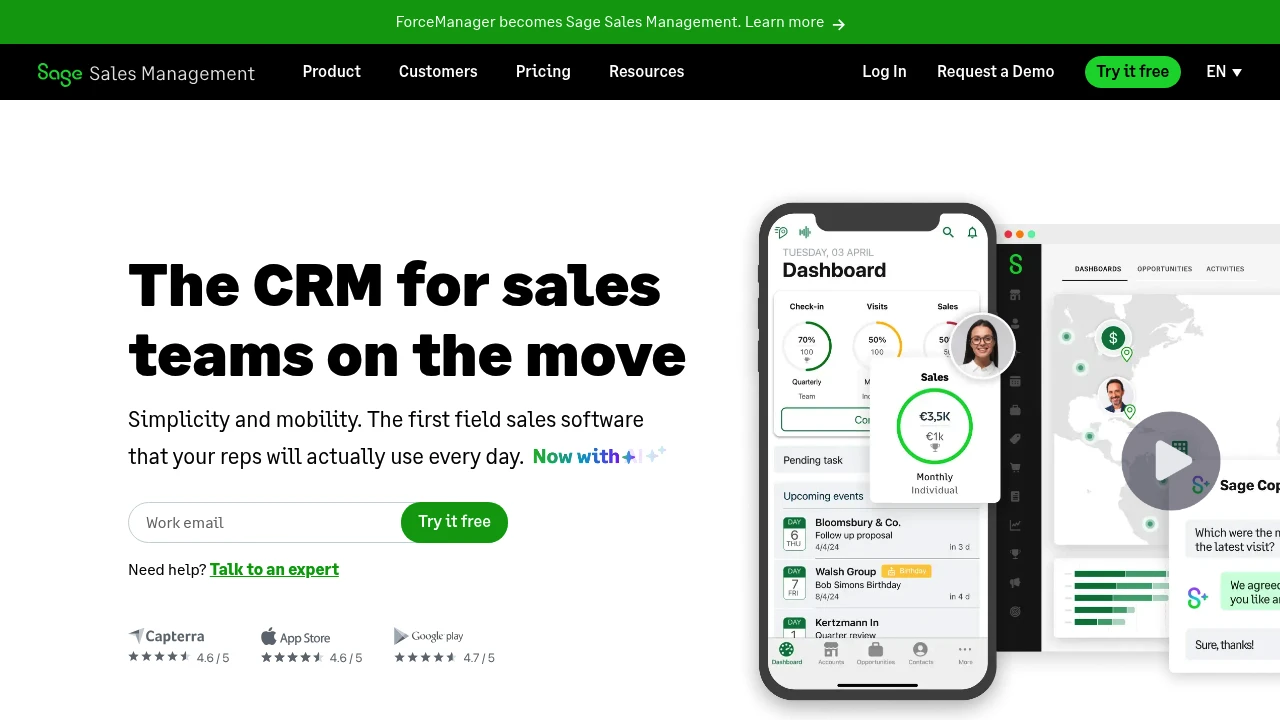
Sage Sales Management is a mobile-first CRM that auto-logs calls, visits, and emails, integrates with Microsoft 365, includes AI deal analysis, and works offline—built for B2B field sales teams.
Summary
Sage Sales Management is a mobile-first CRM designed for field sales teams, accelerating sales through automated activity logging and offline functionality. Solves the challenge of real-time customer data updates and sales tracking for reps on the move.
What is Sage Sales Management?
Sage Sales Management (formerly ForceManager) is a mobile-first CRM built for B2B field sales teams. The system auto-logs calls, geolocated visits, video calls, calendars, and emails, with deep Microsoft Office 365 integration. Built-in Sage Copilot AI analyzes deals, generates sales insights, and extracts key negotiation points from email threads. Works offline to ensure data logging even with unstable network coverage.
Core Capabilities
- Automated activity logging: Calls, visits, video meetings, and emails sync automatically without manual entry
- Mobile-first design: Geolocated customer visits, offline mode for data access and updates
- Sage Copilot AI: Analyzes deals, generates interactive chart insights, extracts negotiation points from emails
- Microsoft 365 integration: Access CRM inside Teams, single sign-on, Outlook and Exchange calendar sync
- Sales goal management: Set personalized activity and sales targets, track team progress in real time
- Pipeline visualization: View all team opportunities, prioritize tasks
Pros
- Minimal learning curve, reps onboard in minutes, 90% daily usage rate
- Auto-logging saves time, each rep saves 2 hours per week on reporting
- Offline functionality ensures work continues in areas with poor network coverage
- Deep Microsoft 365 integration suits teams already in the Office ecosystem
- Enterprise-grade security with Microsoft, Google, and ISO27001 certifications
Cons
- Focused on field sales teams; office-based teams may not need mobile features
- Concentrates on sales activity tracking, lacks advanced marketing automation
- Pricing not publicly disclosed, requires contacting sales team
- Optimized for B2B scenarios, may not suit B2C or e-commerce businesses
- AI features (Sage Copilot) may require additional fees or specific plans
Decision Guidance
Use this when: Your sales team frequently visits customers and needs real-time CRM updates on mobile devices, and you already use the Microsoft 365 ecosystem. Ideal for B2B field sales in healthcare, construction, manufacturing, and similar industries.
Consider alternatives when: Your team works primarily in-office or needs complex marketing automation and customer service features. If you don't use Microsoft tools or have budget constraints, explore other general-purpose CRM systems.

Looking for alternatives to other popular services? Check out other posts in the alternatives series and GTM Guide, a directory of tools with filters for tags and alternatives for easy browsing and discovery.

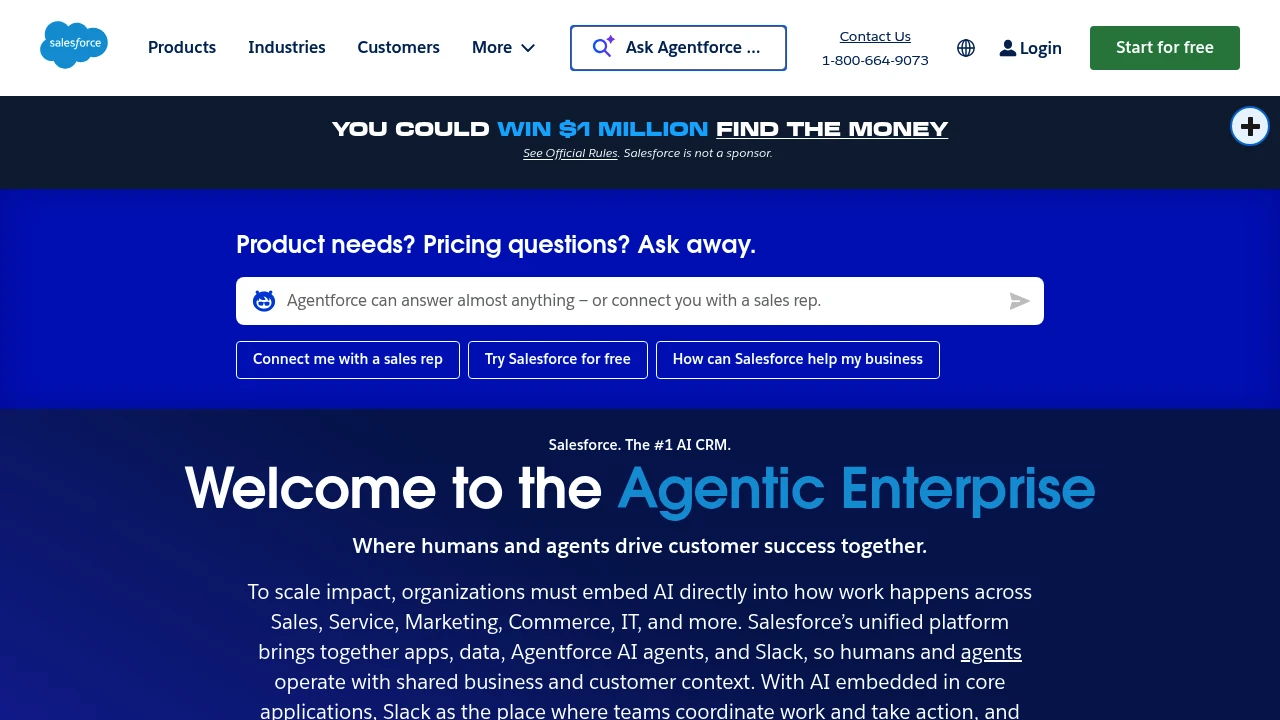
Salesforce is the leading AI CRM platform, integrating sales, service, marketing, commerce, and IT apps. With Agentforce AI agents and unified data, businesses achieve Customer 360 management, higher conversion rates, and automation efficiency.
Salesforce: AI CRM Platform
Summary
Salesforce is the leading AI CRM platform that unifies sales, service, marketing, commerce, and IT apps. Through Agentforce AI agents and integrated data, it enables human-agent collaboration to drive customer success and business growth.
What is Salesforce?
Salesforce is a cloud-based customer relationship management (CRM) platform that brings together applications, data, AI agents, and Slack into a single system. Businesses use Customer 360 to manage customer interactions from lead generation to post-sale service, enabling cross-department collaboration and automated workflows. The platform includes Agentforce AI agents that autonomously execute multi-step tasks, reducing manual work and boosting efficiency.
Core Capabilities
- Agentforce AI agents: Automate customer service cases, lead qualification, and marketing campaigns with 66% autonomous case resolution
- Customer 360 platform: Unify sales, service, marketing, commerce, and IT data for complete customer visibility
- Slack integration: Team collaboration hub with Slackbot as a personal work agent to accelerate decisions and actions
- Industry solutions: 16+ pre-built solutions for finance, healthcare, retail, manufacturing, and more
- Free CRM: Core CRM features with no credit card required, ideal for small businesses to start fast
- AI prediction and personalization: Analyze customer behavior, forecast deal success, and automate personalized interactions
Pros
- Deeply integrated platform: Apps, data, AI agents, and metadata managed in one place, reducing system fragmentation
- Proven AI results: Customer cases show 15% marketing pipeline growth and 1.8x lead conversion rate improvement
- Flexible scalability: From free tier to enterprise plans, expand features as your business grows
- Built-in trust and governance: AI and data security, compliance, and reliability mechanisms enabled by default
- Free learning resources: Agentblazer training offers three-level AI skill certification at no cost
Cons
- Learning curve: Feature-rich platform requires time for new users to master full capabilities and best practices
- Cost accumulation: Advanced features and industry solutions can drive subscription costs up quickly for SMBs
- Customization complexity: Deep customization demands technical resources or external consultant support
- Network dependency: Cloud architecture requires stable internet; offline functionality is limited
- Third-party integration: Some external system integrations need extra configuration or middleware
Decision Guidance
When to use: Businesses needing unified sales, service, and marketing process management; teams wanting AI agents to automate repetitive tasks and elevate customer experience; growing companies seeking scalable CRM solutions.
Consider alternatives: Micro-businesses with tight budgets needing only basic CRM features; organizations requiring fully offline operation; companies deeply invested in other ecosystems (e.g., Microsoft Dynamics) where integration costs are prohibitive.

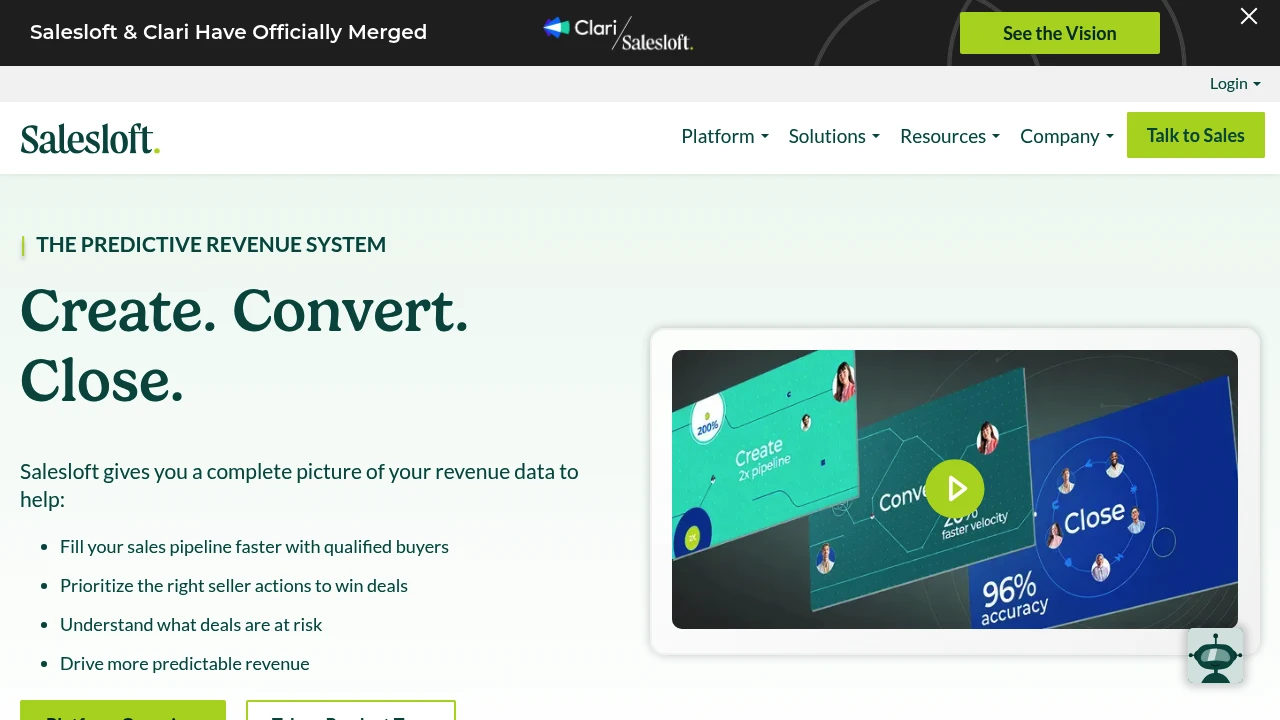
Salesloft unifies AI chat agents, sales engagement, revenue intelligence, conversation analysis, deal management, and forecasting to fill pipeline, accelerate deal cycles, and improve forecast accuracy.
Summary
Salesloft is an AI revenue orchestration platform that unifies sales engagement, revenue intelligence, conversation analysis, deal management, and forecasting tools to help sales teams prioritize high-value actions, accelerate deal cycles, and improve pipeline quality.
What is Salesloft?
Salesloft integrates AI chat agents (Drift), sales engagement (Cadence), revenue intelligence (Analytics), conversation intelligence (Conversations), deal management (Deals), and forecasting (Forecast) into one platform. Through Rhythm, the system turns buyer signals into seller action recommendations, while AI agents automate tedious tasks and surface critical insights. The platform connects with CRM, conferencing, dialer, and email systems to provide revenue teams with a unified data view.
Core Capabilities
- AI chat agents (Drift): Engage website visitors in real-time to convert leads
- Cadence: Automate pipeline generation, lead nurture, and renewal workflows
- Analytics: Centralize reporting across buyer and customer lifecycle data
- Conversations: Analyze sales calls to identify coaching opportunities and best practices
- Deals: AI insights show deal status, risk, and actions needed to accelerate close
- Forecast: Combine real-time deal data and AI to improve forecast accuracy
- Rhythm: Turn buyer signals into prioritized action recommendations
- Integration ecosystem: Connect CRM, conferencing, dialer, email, and calendar tools
Pros
- Unifies multiple revenue tools in one platform, reducing context switching
- AI agents automate prioritization and tedious tasks
- Delivers productivity and pipeline results within 10 days
- Trusted by 5000+ enterprise customers with proven 2.5x faster deal cycles
- Unifies first-party signals, third-party intent data, and sales activity
Cons
- Broad feature set creates a steep learning curve initially
- Pricing not publicly available; requires sales contact
- Primarily designed for enterprise sales teams; may be overkill for small teams
- Requires CRM and tool integrations to unlock full value
Decision Guidance
When to use: Enterprise sales teams needing unified revenue data, automated pipeline generation, improved forecast accuracy, and faster deal cycles will benefit from Salesloft's complete solution. Especially suited for organizations requiring integrated AI chat, sales engagement, conversation analysis, and deal management.
Consider alternatives: Small teams or budget-constrained organizations may find the feature set too complex; if you only need a single capability (like pure conversation intelligence or CRM), specialized tools may be more cost-effective.

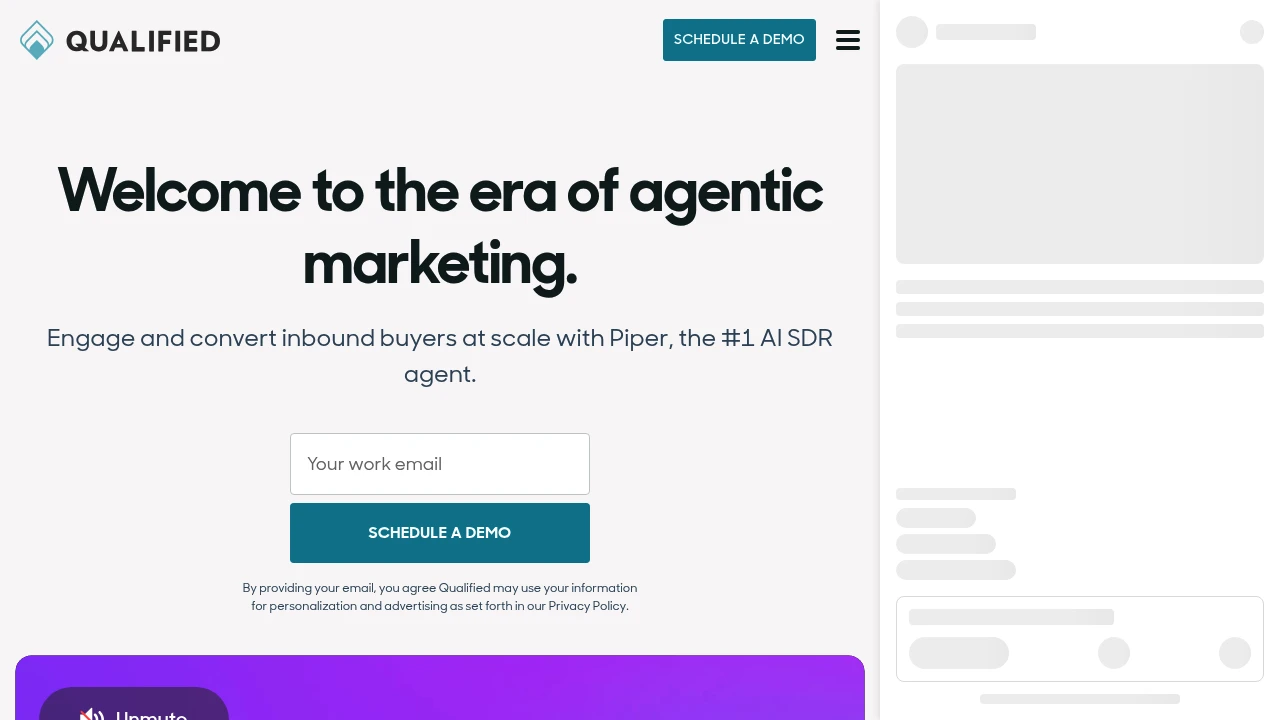
Piper is the #1 AI SDR agent that engages website visitors, sends personalized email follow-ups, and books meetings 24x7 to scale your inbound pipeline. Trusted by 500+ companies to boost conversion.
Summary
Piper is an AI SDR agent (AI Sales Development Representative Agent) built for B2B marketing teams. It converts inbound leads 24x7 through live website conversations, email follow-up, and meeting booking, solving pipeline leakage caused by limited SDR bandwidth and fragmented systems.
What is Piper?
Piper is an AI SDR superagent from Qualified that works seamlessly across website and email channels. She proactively engages visitors via text, voice, and video, sends personalized nurture based on buyer journey, and autonomously books qualified meetings. Her mission is continuous pipeline generation for marketing teams. Over 500 companies have hired her.
Core Capabilities
- Multi-channel engagement: Real-time text, voice, and video conversations on your website
- Intelligent email nurture: Automated, personalized emails triggered by buyer behavior
- Autonomous meeting booking: Identifies high-value prospects and schedules meetings directly
- Cross-channel handoff: Smooth context transfer between website and email interactions
- 24x7 coverage: Works around the clock, unbound by time zones or headcount
Pros
- Proven results: Asana saw 22% pipeline lift, Greenhouse generated $27M pipeline, Crunchbase tripled meetings
- Rated 4.9 stars on G2 with 1,200+ reviews, ranked #1 AI SDR agent
- Seamless website-to-email workflow reduces lead drop-off
- Scales inbound conversion without adding SDR headcount
- Integrates with Salesforce and other CRM systems
Cons
- Focused on B2B inbound marketing; not suited for outbound or cold-calling teams
- Requires existing website traffic and marketing channels to deliver value
- Pricing not publicly disclosed, potentially a barrier for smaller businesses
- Conversation quality depends on AI; complex products may need human escalation
- Learning curve exists; requires configuration and training to match brand voice
Decision Guidance
When to use: If your B2B team has steady website traffic but limited SDR capacity, or you want to convert inbound leads and book meetings 24x7, Piper can significantly boost pipeline output and conversion efficiency.
When to consider alternatives: If you rely primarily on outbound sales, cold calling, or lack consistent inbound traffic, traditional CRM automation or human SDR teams may be more appropriate. If budget is tight or your product requires deep consultative selling, evaluate ROI carefully before committing.

Outreach is an AI revenue workflow platform helping sales, marketing, RevOps, and customer success teams increase win rates through automated workflows, forecasting, and deal management.
Summary
Outreach is an end-to-end AI revenue workflow platform built for sales, marketing, RevOps, and customer success teams. The platform uses AI agents to automate prospecting, deal management, forecasting, and retention, helping teams boost productivity and accelerate deal velocity.
What is Outreach?
Outreach is an integrated sales execution platform that covers the full workflow from prospecting to customer expansion. The platform leverages AI agents to automate research, recommend next actions, identify buying committee members, and deliver real-time conversation insights. Sales leaders can forecast accurately with AI-assisted modeling that reduces prep time and improves revenue predictability.
Core Capabilities
- AI-driven prospecting: Automates research and surfaces best-fit prospects
- Deal management and risk detection: Rapidly inspect pipeline deals, uncover risks, and prioritize actions
- AI-assisted forecasting: Validates calls, compares outcomes, and improves accuracy
- Real-time conversation insights: Spots coaching opportunities and delivers consistent feedback
- Customer retention and expansion: Automates retention plays and flags renewal risks early
- Account orchestration: Identifies and engages all stakeholders to improve win rates
Pros
- Increases seller productivity by 60% with AI-driven workflows
- Consolidates tech stack: Amplitude saved over $600K annually by replacing five platforms
- Accelerates rep onboarding with centralized tools that are easier than standalone CRMs
- Improves forecast accuracy with AI-assisted modeling that reduces prep time
- Delivers real-time coaching feedback to improve team-wide performance
Cons
- Primarily targets enterprise sales teams; may be overkill for small teams
- Requires CRM integration (e.g., Salesforce) to unlock full value
- Steeper learning curve due to comprehensive feature set
- Pricing not publicly available; requires sales contact
- May be overly complex for simple sales processes
Decision Guidance
Use Outreach when: Enterprise sales, marketing, and RevOps teams need end-to-end workflow automation, accurate forecasting, and multi-platform consolidation. Especially suited for teams managing complex buying committees and high deal volumes.
Consider alternatives when: You run a small sales team with simple processes, have budget constraints, need only basic outreach features, or already use specialized tools for specific sales stages.
Looking for alternatives to other popular services? Check out other posts in the alternatives series and GTM Guide, a directory of tools with filters for tags and alternatives for easy browsing and discovery.
Mixmax is an AI sales execution platform that surfaces key customer signals in your inbox, automates follow-ups, meeting prep, and CRM updates so sales reps focus on actions that move deals forward.
Summary
Mixmax is an AI-powered sales execution platform that helps sales reps identify the most important actions from overwhelming signals, automate follow-ups and meeting prep, and keep deals moving. It works directly in your inbox, reducing tab-switching and focusing on conversations that drive results.
What is Mixmax?
Mixmax is an AI-native execution platform designed for sales professionals struggling with information overload and busywork. It uses three AI Copilots (Inbox, Meeting, Engagement) to identify customer engagement signals, automate CRM updates, follow-up reminders, and meeting summaries. You manage multi-channel outreach, scheduling, and customer relationships in Gmail or Outlook without leaving your inbox.
Core Capabilities
- Signal prioritization: Automatically identifies high-engagement prospects and customers, tells you what to do next
- Inbox-native execution: Manage email, phone, LinkedIn outreach, and scheduling in Gmail/Outlook
- Automated follow-ups: Smart sequences and reminders ensure deals don't stall and customers feel seen
- Meeting management: Send scheduling links from inbox, auto-prep, run, and recap meetings
- CRM sync: Automatically updates CRM records, reducing manual data entry
Pros
- Fewer tabs: Entire sales workflow lives in your inbox, boosting efficiency
- AI-driven insights: Real-time identification of the most important customer signals and action recommendations
- Quick setup: 14-day free trial, install browser extension to start, no credit card required
- Flexible subscriptions: Choose full bundle or subscribe to individual Copilots
- Multi-channel outreach: Manage email, phone, and social in one interface
Cons
- Extension required: Must install browser extension for Gmail or Outlook to use
- Learning curve: Advanced customization and CRM integration may need technical support
- Pricing transparency: Subscription costs after trial not clearly listed on website
- Inbox dependency: Value diminishes if email isn't your primary workflow
Decision Guidance
Use Mixmax when: You're a sales, customer success, or recruiting professional overwhelmed by follow-ups and admin tasks, want to centralize multi-channel outreach and meetings in your inbox, and need AI to automate busywork.
Consider alternatives when: Your sales process isn't email-centric, you need a full CRM system rather than an inbox enhancement tool, or your team already has a mature sales automation stack and doesn't want to add another tool.

HubSpot integrates CRM, marketing, sales, and customer service on one AI-powered platform with Breeze agents that automate workflows, helping 278,000 businesses grow faster.
Summary
HubSpot is an AI-powered customer platform that unifies marketing, sales, customer service, and CRM to help businesses consolidate data, automate processes, and accelerate growth.
What is HubSpot?
HubSpot is a comprehensive customer platform that combines Marketing Hub, Sales Hub, Service Hub, Content Hub, Data Hub, Commerce Hub, and Smart CRM in a single system. The platform includes built-in Breeze AI tools and agents (Customer Agent, Prospecting Agent, Data Agent) that automate customer inquiries, sales outreach, and content creation. Over 278,000 businesses across 135 countries use HubSpot to manage customer relationships and drive business growth.
Core Capabilities
- Smart CRM: Unified customer data as the single source of truth for all business information
- Marketing Hub: Marketing automation, lead conversion, personalized content, and campaign tracking
- Sales Hub: Lead generation, pipeline management, automated outreach, and deal acceleration
- Service Hub: AI-powered customer support, ticketing, customer health scores, and usage analytics
- Content Hub: Content creation, multi-channel publishing, and brand consistency management
- Breeze AI Agents: 24/7 automation for customer inquiries (resolves 65%), sales research, and content generation
- Data Hub: Data integration, cleansing, and cross-team activation
- Commerce Hub: Quoting, payment collection, and subscription management
- 2,000+ Integrations: Connect existing tools and applications
Pros
- Unified platform: All marketing, sales, and service tools in one AI-powered system eliminate data silos
- Proven results: Customers gain 129% more leads, 36% more deals, and 37% better ticket closure rates within one year
- Built-in AI: Breeze agents automate 65% of customer inquiries, accelerate sales outreach, and generate content
- Flexible scaling: From Small Business Bundle to Enterprise plans, adapts to different team sizes
- Rich ecosystem: 2,000+ integrations, free tools, and active community support
Cons
- Learning curve: Multi-product platform requires time to master all features and best practices
- Cost accumulation: Advanced features and multiple Hub subscriptions can strain budgets for small businesses
- Customization limits: Some enterprise-level needs may require additional development or third-party integrations
- Data migration: Moving from other CRM systems requires planning and resource investment
- Feature overlap: Some functionality overlaps across different Hubs, requiring careful plan selection
Decision Guidance
Use HubSpot when: You need to unite marketing, sales, and customer service teams and want AI automation to boost efficiency and accelerate growth. Particularly suited for small to enterprise organizations seeking an integrated platform to replace scattered tools, valuing data unification and scalability.
Consider alternatives when: You only need single functionality (like pure CRM or email marketing) rather than a full platform, or have limited budget without need for advanced AI features. Businesses deeply invested in other ecosystems (like Salesforce) may face migration costs.

Web redirection service with instant auto-redirect and fallback manual links. Ideal for site migrations, URL management, and traffic routing.
Summary
Redirecting is a web redirection tool that solves traffic routing issues during site migrations and URL changes, ensuring visitors reach their destination.
What is Redirecting?
Redirecting provides automatic jump functionality. When users visit old links or temporary pages, the system automatically directs them to the target destination. If auto-redirect fails, the page displays a fallback manual link to prevent users from getting lost. Perfect for site redesigns, domain changes, and short-link services.
Core Capabilities
- Auto-redirect: Instant jump to target URL on page load
- Fallback manual link: Clickable link when auto-redirect fails
- Lightweight implementation: Quick deployment without complex setup
- Cross-platform support: Works with all website types and CMS platforms
Pros
- Simple setup with no technical expertise required
- Prevents visitor loss from URL changes
- Dual safeguard (automatic + manual)
- Lightweight solution with minimal page load impact
- Handles both temporary and permanent redirects
Cons
- Single-purpose functionality limited to basic redirects
- No advanced traffic analytics
- No conditional redirects (location, device detection)
- Manual management required for multiple redirect rules
- SEO impact weaker than server-side 301 redirects
Decision Guidance
Use when: Migrating sites, restructuring URLs, redirecting temporary campaign pages, or needing quick deployment for simple redirect scenarios.
Consider alternatives: For advanced traffic analytics, conditional redirects, or large-scale URL management, use professional redirect services or server-side configuration (Apache mod_rewrite, Nginx rewrite).

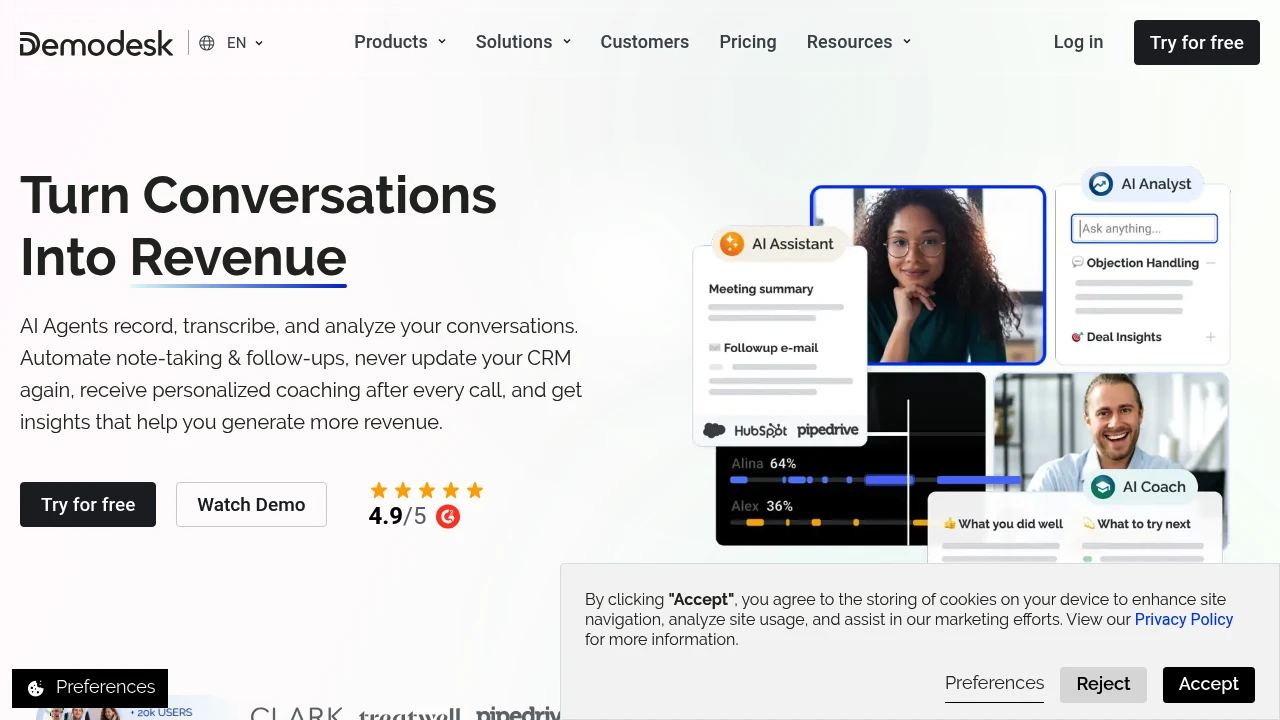
Demodesk uses AI sales agents to auto-record calls, fill CRM, write follow-ups, and deliver real-time coaching. Supports 98 languages, zero setup, 30% more productive reps, 2x faster follow-ups.
Summary
Demodesk is an AI sales agent platform that automates call recording, CRM updates, follow-ups, and coaching so sales teams focus on closing instead of admin work.
What is Demodesk?
Demodesk uses AI sales agents to record, transcribe, and analyze your sales conversations, automating notes, follow-ups, CRM filling, and real-time coaching feedback. The platform supports 98 languages, works instantly without setup, and integrates with existing CRM, calendar, and meeting tools. Sales reps save 30% on admin time and boost conversion rates.
Core Capabilities
- AI Assistant: Auto-records, transcribes, summarizes calls, writes personalized follow-up emails, and fills CRM
- AI Coach: Scores every call instantly, provides custom scorecards and actionable feedback, identifies deal risks
- AI Analyst: Extracts pipeline insights, customer sentiment, product feedback, and performance trends from all conversations
- AI CRM Concierge: Zero-setup CRM updates, AI auto-detects objects and fields, human-in-the-loop for safety
- 98-language support: Global searchable call library for multilingual teams
Pros
- Zero setup required, sign up and start, 14-day free trial
- Automates CRM updates to 100% accuracy, reps 30% more productive
- 2x faster follow-ups, reduces manager call review time
- Single platform replaces 3–4 point solutions, GDPR-compliant and auditable
- Customizable workflows and scorecards adapt to team methodology
Cons
- Primarily for sales teams, limited use outside sales scenarios
- Relies on existing CRM and meeting tool integrations, compatibility required
- AI automation requires human review (Human In The Loop), trust-building needed initially
- Pricing not public, requires contacting sales team
- May be overkill for small teams or low call volume users
Decision Guidance
Use Demodesk when: Your sales team is overwhelmed by manual CRM updates, call reviews, and follow-ups, you need real-time deal insights and scalable coaching, or you want a single platform for conversation intelligence, CRM automation, and performance analytics.
Consider alternatives when: You only need basic call recording or transcription without AI coaching and CRM automation, or your team is small with low call volume where simpler tools may be more cost-effective.

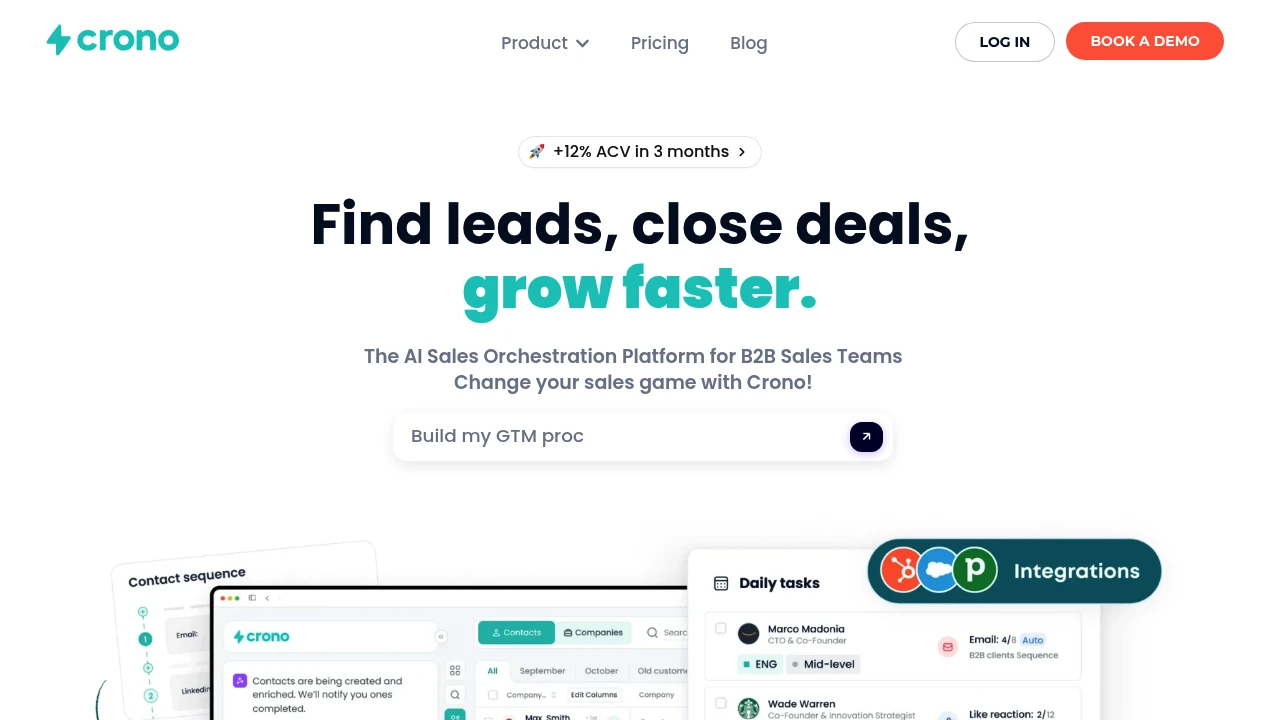
Crono is an AI sales orchestration platform for B2B teams, integrating lead generation, multichannel outreach, CRM & email tools with smart automation and proprietary AI to accelerate deals.
Summary
Crono is an AI sales orchestration platform for B2B sales teams that integrates lead generation, automated outreach, and CRM data to help revenue teams hit targets faster.
What is Crono?
Crono unifies your sales tech stack into a single interface, automating daily manual tasks through a proprietary AI model. The platform connects HubSpot, Salesforce, Gmail, Outlook, and other tools, letting teams run AI-powered workflows from prospecting to closing deals using natural language commands.
Core Capabilities
- AI-powered lead generation: Automatically identify qualified leads, enrich contact data, monitor buying intent
- Smart automation: Automate repetitive sales tasks and focus on strategy
- Multichannel outreach: Run personalized email and messaging campaigns at scale
- CRM & tool integrations: Native connections to HubSpot, Salesforce, Gmail, Outlook, Aircall, Clay, n8n, and more
- Proprietary AI model: Trained on millions of sales data points to suggest best actions and message content
- Unified interface: Manage all data, workflows, and communications in one system
- Public API: Connect any system and build scalable sales infrastructure
Pros
- Full-stack integration: Connects entire sales tech stack without tab-switching
- AI content generation: Automatically drafts and edits personalized messages to boost response rates
- Workflow automation: Reduces manual work so teams focus on high-value activities
- Buying intent monitoring: Prioritizes hot tasks to improve conversion efficiency
- Scalable architecture: Supports complex sales processes via API and native integrations
Cons
- Requires company email: Registration demands a business email address
- Learning curve: Integrating multiple tools and setting up automation requires upfront investment
- Opaque pricing: Detailed pricing information not publicly available on website
- Integration-dependent: Value depends on connecting existing CRM and sales tools
Decision Guidance
When to use: B2B sales teams need to integrate multiple sales tools, automate repetitive tasks, and boost lead generation and outreach efficiency with AI. Particularly suited for revenue teams already using HubSpot or Salesforce who want to unify workflows.
Consider alternatives: If you're a small team or startup with limited budget and no need for complex integrations, simpler sales automation tools may suffice. For single-function needs like email outreach or CRM alone, specialized tools may be more cost-effective.
Looking for alternatives to other popular services? Check out other posts in the alternatives series and GTM Guide, a directory of tools with filters for tags and alternatives for easy browsing and discovery.

Conversica offers AI conversation agents that automate lead follow-up, customer service, and renewal conversations via email, SMS, and chat. Proven in 1.5 billion interactions, integrates with your CRM and marketing tools.
Summary
Conversica is an AI conversation agent platform that helps businesses acquire customers, improve service efficiency, and drive renewals through automated, personalized two-way conversations. Proven in over 1.5 billion conversations, it's built for sales, marketing, and customer success teams that need to automate customer interactions at scale.
What is Conversica?
Conversica provides AI-powered conversation agents that engage prospects and customers through persistent, contextual conversations via email, SMS, messaging apps, and chat. The platform is pre-trained for specific industries, integrates with your CRM and marketing automation tools, and automates tasks like qualification, follow-up, issue resolution, and meeting scheduling. AI agents operate 24/7, support multiple languages, and comply with enterprise-grade security standards (GDPR, SOC 2).
Core Capabilities
- Multi-channel conversation automation: Two-way interactions via email, SMS, chat, and messaging apps
- Lead qualification and follow-up: Automatically identify intent, schedule meetings, and advance the sales funnel
- Customer service and issue resolution: Answer common questions, update subscriptions, and handle billing inquiries in real time
- Customer retention and expansion: Trigger renewal conversations, recommend upgrades, and re-engage inactive accounts
- Industry-specific training: Customized to your brand tone, policies, and workflows
- Deep integrations: Connect to CRM, marketing automation, and other tech stack tools to trigger workflows and sync data
- Enterprise-grade security and compliance: Meets GDPR, SOC 2, data residency, and encryption requirements
Pros
- Automate conversations at scale: Handle thousands of personalized interactions 24/7 without manual effort
- Fast deployment: Launch in days using pre-built industry flows and integrations
- Improve conversion rates: Move leads toward close with persistent, contextual follow-up
- Enhance customer experience: Respond instantly to inquiries, resolve issues, and simplify self-service
- Scalable across languages and channels: Support global teams and diverse customer bases
Cons
- Requires integration setup: Initial configuration needed to connect with existing CRM and marketing tools
- Customization takes time: Adjusting tone, flows, and rules to match brand requirements may require additional effort
- Depends on data quality: Conversation effectiveness relies on accurate lead and customer data in your CRM
- Pricing not transparent: Contact sales for quotes; no publicly available standard plans
Decision Guidance
When to use: Your team needs to automate lead follow-up, customer service, or renewal conversations at scale and wants to integrate with existing CRM and marketing stack. Ideal for enterprise sales, marketing, and customer success teams, especially those handling high volumes of inbound inquiries, event follow-up, or ABM programs.
When to consider alternatives: If you only need basic chatbots or email automation, simpler tools (like Intercom, Drift, or HubSpot's built-in features) may be more cost-effective. If your conversation needs are limited or budget is tight, single-channel solutions may be a better fit.

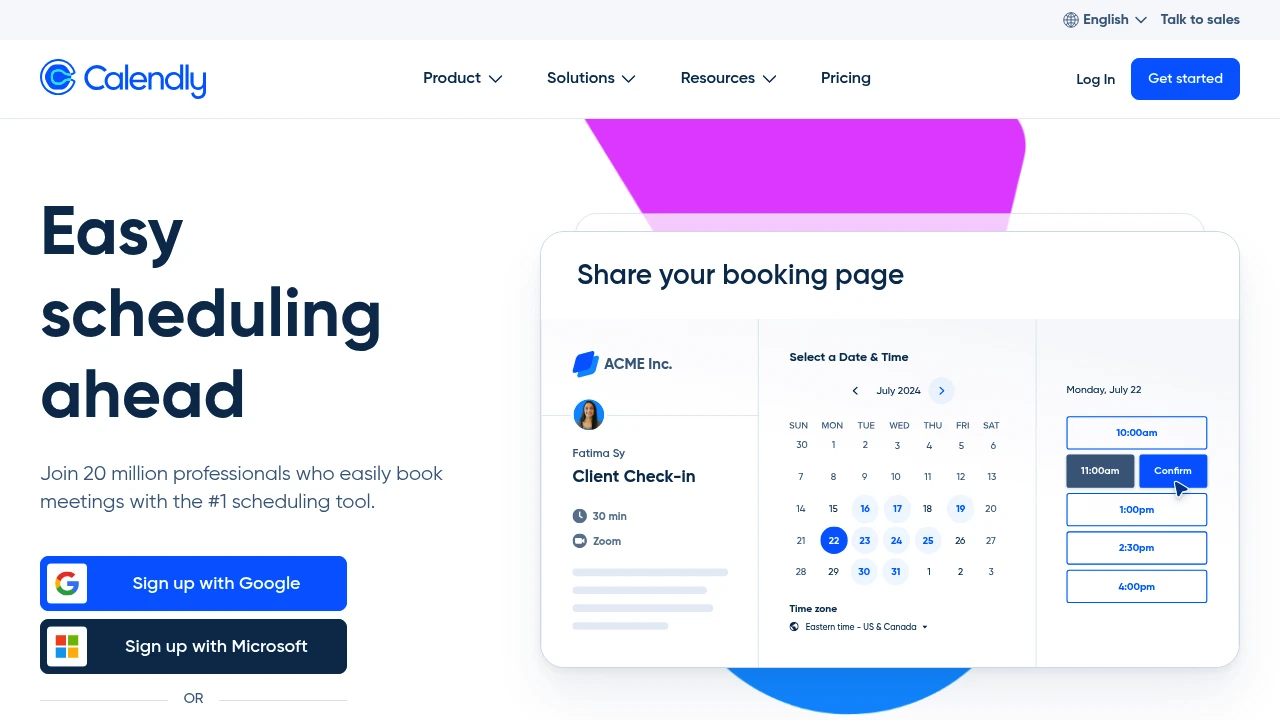
Calendly is modern online appointment scheduling software that connects multiple calendars, displays real-time availability, and integrates video conferencing tools. Used by individuals to enterprises, including 86% of Fortune 500 companies.
Calendly
Summary
Calendly is an online appointment scheduling platform that eliminates back-and-forth meeting coordination by automating availability display and integrating calendars with video tools. Trusted by over 100,000 organizations, including 86% of Fortune 500 companies.
What is Calendly?
Calendly is a meeting scheduling automation tool that lets users share scheduling links so invitees can view real-time availability and book directly. The platform connects up to six calendars, integrates video conferencing tools (Zoom, Teams, etc.), and offers custom event types, buffer times, and scheduling rules. Suitable for individual professionals through large enterprise teams.
Core Capabilities
- Multi-calendar sync: Connect up to six calendars with real-time availability
- Custom availability: Set detailed available hours, scheduling rules, and meeting buffers
- Video conferencing integration: Auto-generate Zoom, Google Meet, Teams meeting links
- Event type templates: Pre-built or custom meeting types (one-on-one, group, round-robin)
- Embeddable scheduling links: Embed booking links in websites, landing pages, emails
- 100+ integrations: Connect Salesforce, HubSpot, Slack, and more
Pros
- Free plan available forever for individual users to test
- Clean interface; share a link and invitees self-book
- Automation reduces email back-and-forth, saving coordination time
- Enterprise-grade security and compliance, widely adopted by Fortune 500
- Supports team round-robin scheduling and collective event management
Cons
- Free plan limited to one event type with restricted features
- Advanced features (workflow automation, team management) require paid plans
- Enterprise plan starts at $15,000/year, costly for SMBs
- Some users report occasional sync delays with certain calendar systems
- Custom branding options only available on paid plans
Decision Guidance
Use Calendly when: Your sales, recruiting, or consulting team schedules frequent external meetings; you want to eliminate email coordination; you need client self-service booking for service businesses.
Consider alternatives if: You only need basic scheduling and already use Google Workspace (Google Calendar appointments may suffice); you require deep customization or self-hosting (open-source options like Cal.com).


